> ## Documentation Index
> Fetch the complete documentation index at: https://docs.forecastable.com/llms.txt
> Use this file to discover all available pages before exploring further.
# Avoma integration
> Connect Avoma with an API key to sync meeting recordings, transcripts, and AI notes.
Connect Avoma to sync meeting recordings, transcripts, and AI-generated notes into Forecastable.
Start on [Settings → Integrations](https://app.forecastable.com/settings/integrations).
## Connect Avoma
Any Forecastable user can connect Avoma with an API key.
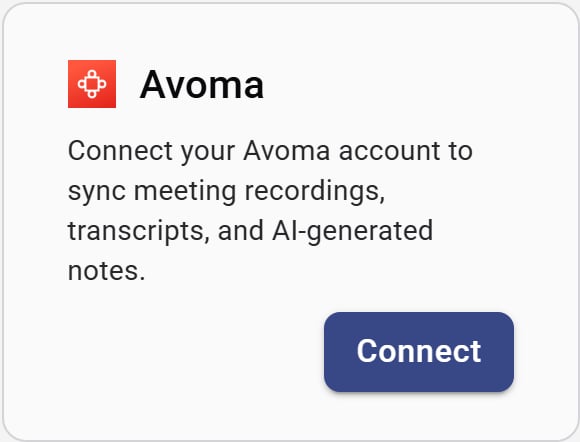 1. On the **Avoma** card, click **Connect**.
2. Enter your **Avoma API Key**.
3. Click **Connect**.
1. On the **Avoma** card, click **Connect**.
2. Enter your **Avoma API Key**.
3. Click **Connect**.
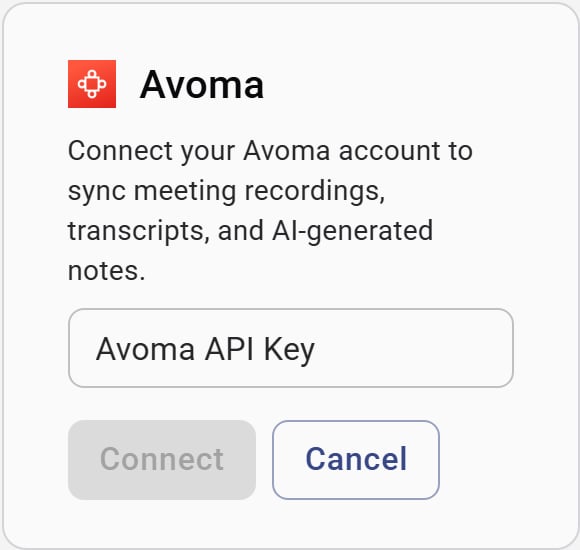 Create or copy an API key from your Avoma account settings, then paste it into Forecastable.
## Sync meetings
After Avoma is connected, use **Sync Data** on the card to import meetings for a date range:
1. Click **Sync Data**.
2. Choose **From** and **To** dates (defaults to the last 30 days through today).
3. Click **Start Sync**.
Forecastable imports meetings, transcripts, and notes in the background.
## Disconnect
Use **Disconnect** on the Avoma card to remove the connection and hide the sync panel.
## Verify the setup
* The Avoma card shows **Disconnect** and **Sync Data**
* A sync completes without API key errors
* Meeting content appears where Forecastable shows call activity
## Troubleshooting
Confirm you copied the full key from Avoma with no extra spaces, then try again. Generate a new key in Avoma if the current one was revoked.
Wait for the background import to finish, then widen the date range and run **Start Sync** again.
Create or copy an API key from your Avoma account settings, then paste it into Forecastable.
## Sync meetings
After Avoma is connected, use **Sync Data** on the card to import meetings for a date range:
1. Click **Sync Data**.
2. Choose **From** and **To** dates (defaults to the last 30 days through today).
3. Click **Start Sync**.
Forecastable imports meetings, transcripts, and notes in the background.
## Disconnect
Use **Disconnect** on the Avoma card to remove the connection and hide the sync panel.
## Verify the setup
* The Avoma card shows **Disconnect** and **Sync Data**
* A sync completes without API key errors
* Meeting content appears where Forecastable shows call activity
## Troubleshooting
Confirm you copied the full key from Avoma with no extra spaces, then try again. Generate a new key in Avoma if the current one was revoked.
Wait for the background import to finish, then widen the date range and run **Start Sync** again.